
You can find contact details on a contact card in the “contact details” section. Imported details can be changed via automation rules triggered by another event. If the contact’s behaviour changes, the details can change automatically (provided you have set the appropriate automation rule).
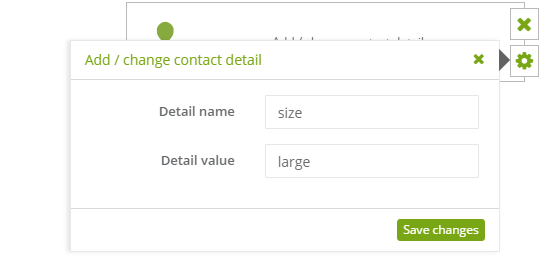
If the contact did not have that particular detail, the action will result in adding the detail with set value.
If the contact already had that particular detail, the action will result in changing the value of that detail to the chosen value.
To set this action:
[1] Detail name: set a name of detail (you can use max 255 characters).
[2] Detail value: set a value of detail (you can use max 255 characters).


