
Thanks to the action Add/remove a contact to a Google Ads group, you can automatically manage groups of recipients on the Google Ads platform and decide what ads should be displayed to them. Correct integration with your account on the Google Ads platform is required for this function to work properly.
See how to integrate Google Ads with SALESmanago >>
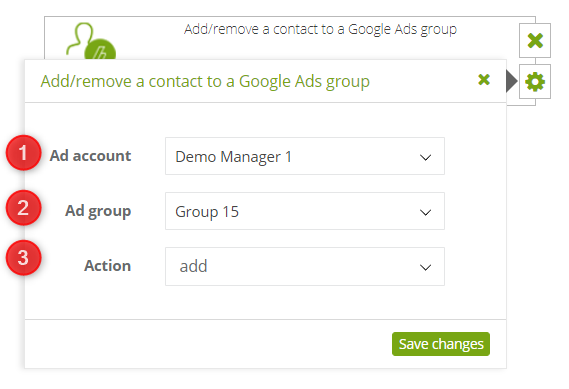
In this action, specify:
[1] Add account – subaccount linked to the main account in the Google Ads platform, to which specific groups of contacts will be matched. All the subaccounts you have invited as co-users of the advertising account are available in the list.
[2] Ad group – a group of contacts belonging to the advertising account, facilitates customer segmentation.
[3] Action – choose whether you want contacts to be added or removed from the selected group.


