
SALESmanago enables its users to target ads on Facebook. While constructing your automation rule, you can use the following action to:
- automatically add and remove contacts to and from a given group,
- create new target groups,
- manage multiple ad accounts and target groups.
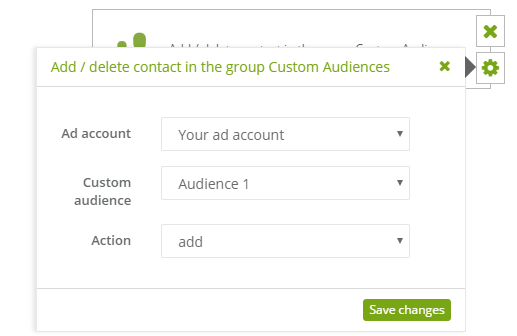
To set this action:
[1] The type of action: add/delete contact in the group Custom Audiences.
[2] Ad account: select ad account.
[3] Custom Audience: select target group.
IMPORTANT: Here you can select “all”. In this case the system checks all groups on the particular ad account and next, the contact is added to all groups or deleted from them at once. Bear in mind that when SALESmanago and Facebook Ad Account are integrated, ad account is authorized and Facebook limits data per one ad account. Data is sent by API and the limit is about 200 requests per hour. To send one contact you need 3 requests (analogically: for one account with 3 contacts you need 9 requests).
[4] Action: choose the action type: add or remove.


