Using Send text message (mobile marketing) action, you can send text messages to contacts using selected communications channels. Adjust the sending to the activity of a given contact.
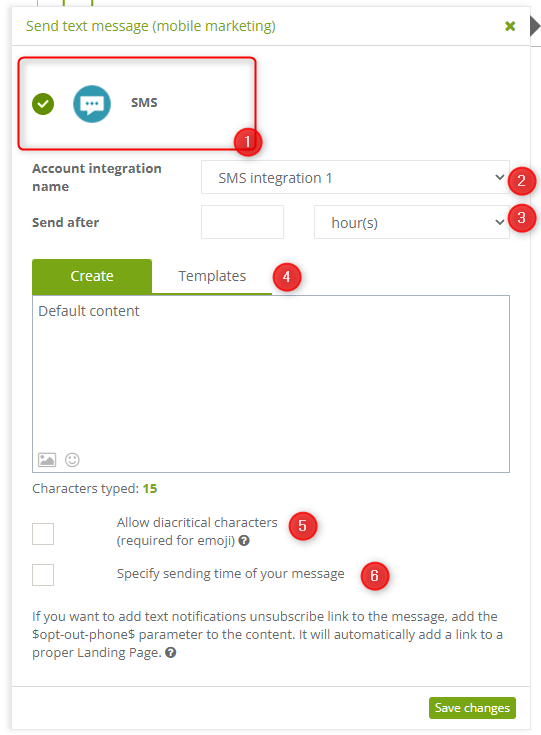
[1] Channel – choose one of the integrated communication channels from which you want to send messages.
[2] Account integration name – choose the integration from which one you want to send a message.
[3] Send after – choose after what time you want the text message to be sent to contacts:
- after “x” hours
- after “x” days
- after “x” weeks
- after “x” months
- after “x” years
[4] Create – enter the content of the message you want to send to the contact, or use a ready-made template.
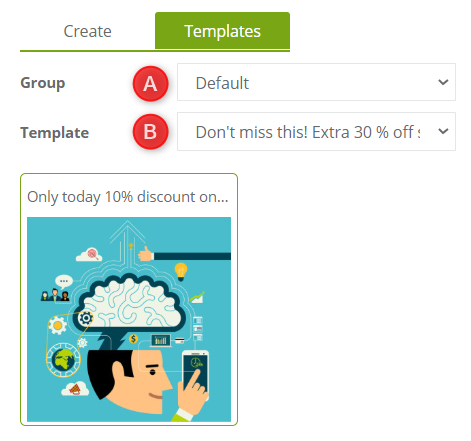
[A] Choose group to shorten the list of searched templates.
[B] Choose a template from the list, its preview will be displayed below.
IMPORTANT: You can use up to 512 characters in the content window.
[5] Allow diacritical characters (required for emoji) – if you have chosen a communication channel that allows using diacritical characters in a text message, you can click the checkbox to forbid using them. Diacritical marks are e.g. ę, ż, ä, ü, ß and emojis.
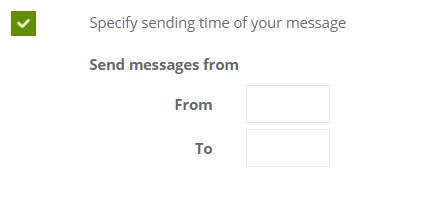
[6] Specify sending time of your message – select the date when exactly you want the message to be sent. In the empty fields, precise the hours when the contact should receive the message.