
If you would like to change the contact’s owner or assign a co-owner, you can do so with the following action. You are able to change the owner and you do not need to do this manually from the contact card or a contact management.
In SALESmanago system, you can change account ownership. The main contact owner is the user who imported the contacts in the account, or they were added by the API. A co-owner can be assigned to the contact data so that they are compatible with them. It applies to the following accounts: main account owner or account owner.
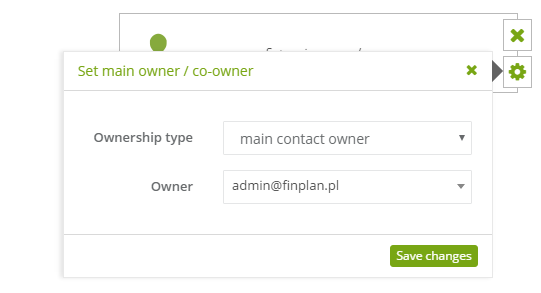
To set this action:
[1] The type of action: set main owner/ co-owner.
[2] Ownership type: choose: main contact owner or contact owner.
[3] Owner: choose the user’s email address.


