
SALESmanago gives you a possibility of the collective management of contact groups. One way of managing contacts is performing group actions towards the specified contact group. You can do so in the Manage contacts panel where you can choose various types of actions you can activate. Action Add a note lets you assign one note to many contacts at once.
Go to CRM => Contact list => Manage contacts
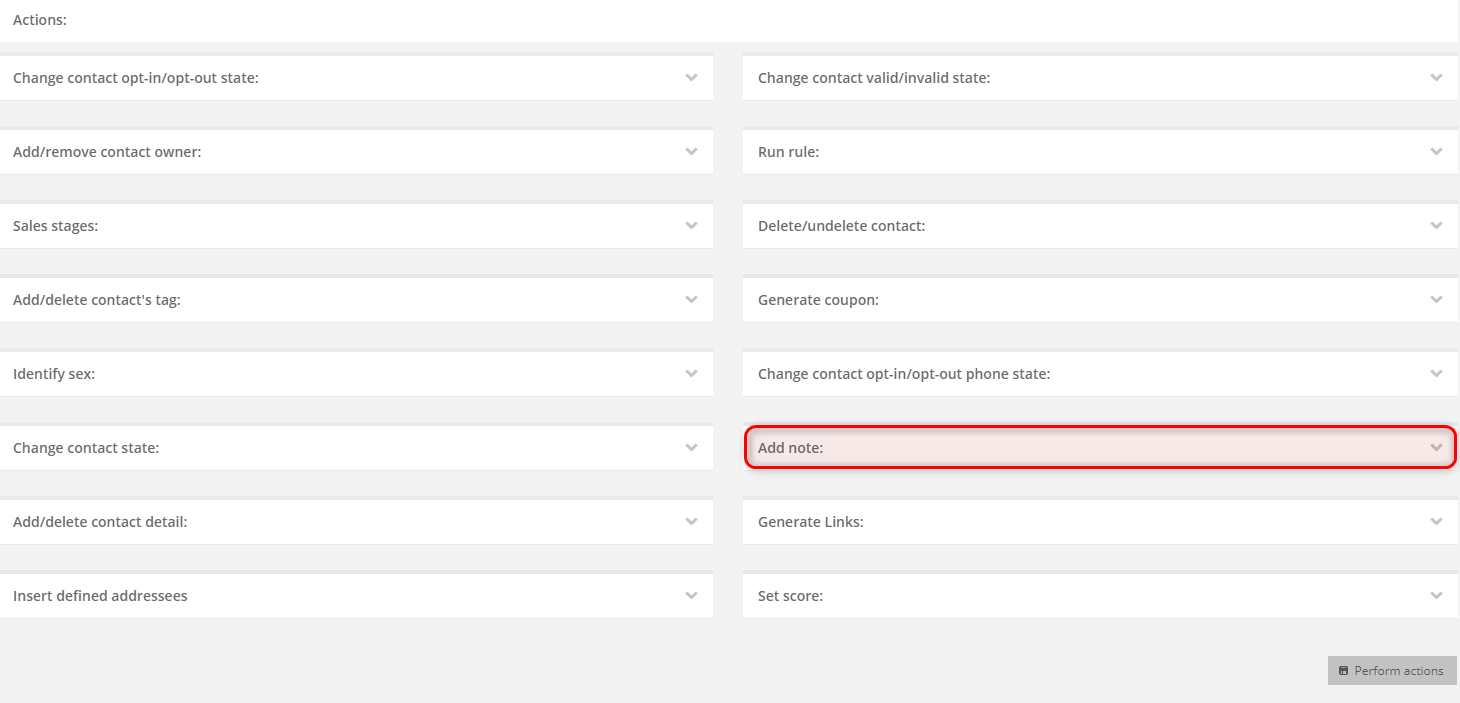
Above the list of action you can find fields in which you can define the contacts for which you want to trigger the action. Determine the contact group and then choose action Add note from the list of actions that is marked on the illustration above. Next, go to the settings of the action.
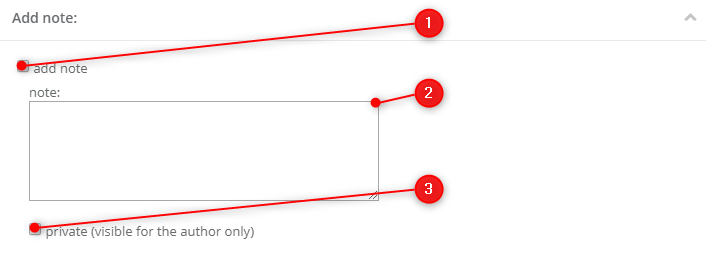
[1] Select option add a note.
[2] Note – enter the text of the note.
TIP: There is no sign limit.
[3] Private (visible only to the author) – select this checkbox if you wish the note to be visible only to the user who added the note to contact cards.
To confirm the action click the button Perform actions that you can find below the list of actions.


