
This event refers to the modification of an existing contact with a given name and value. Settings remain the same as in the event “New contact detail”, but we use this event when changing the value of an existing contact, for example; increasing the total value of orders in our store.
IMPORTANT: The rule will start only if the detail value is changed. A change in the detail name only will not trigger the rule.
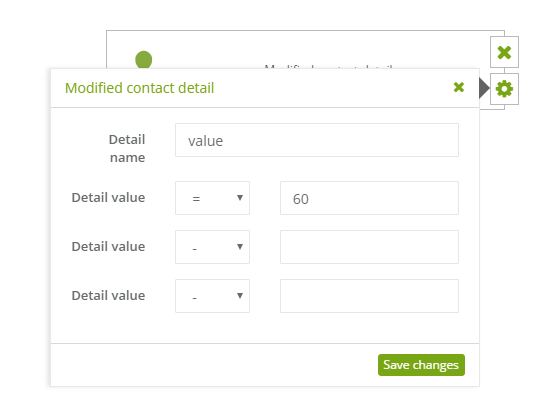
To set this rule:
[1] The type of event: modified contact detail.
[2] Detail name: you have to add a new name or existing name of a detail if you want to change the value of a detail.
[3] Detail value: we use the numerical mathematical operator “=”, if the change has a value equal to the preset number. Similarly, “<” and “>”, to values “less than or greater”. For variable-numeric characters use “~”, which will result in the triggering of the rule. If the phrase specified in the rule is the same as the value, for example, value,”gender”. If you do not want to check the value and only add a detail, leave the default “-” sign. Only one incident per detail and value. You can if necessary, make several parallel events.
IMPORTANT: Modifications made in CRM => Manage Contacts do not trigger rules.


