
You can use a date from a dictionary detail on a contact card to trigger automation rules.
Find out more about dictionary details >>
It can be any date important for that particular contact, for example, their birthday (or of a relative), or an anniversary. You can then create a rule that will automatically send discount coupons or offer gift recommendations in the right moment.
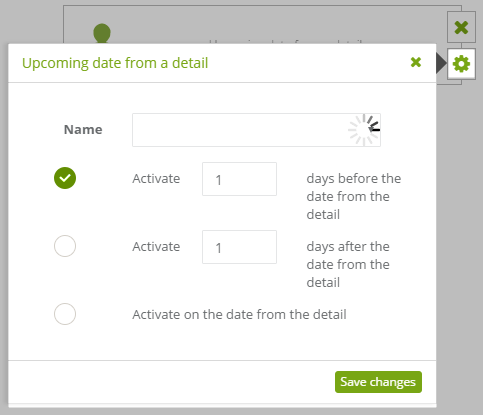
In event settings, enter the Name of the detail you want to use, and select one of the available radio buttons to specify when this event will trigger in relation to the date from the detail.
Example use
Let’s pretend we have a hotel and want to keep customers happy and loyal using an automation rule. If we have a scheduled date of a customer arriving for their stay at the hotel, we can save it as a dictionary detail and create actions, that send emails to customers a week before they arrive and another a week after they leave. In the first message, we could showcase interesting places near the hotel and offer an organized trip. In the second message we could thank the customer for coming and invite them to visit again next year.


