
How to add a monitoring code to WordPress

To start monitoring a website you need to find and copy the monitoring code from the SALESmanago system. It can be found in Settings > Integration.
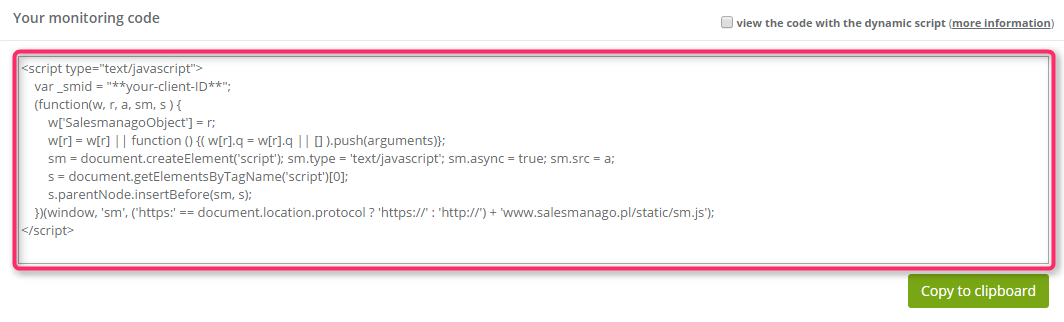
monitoring-code

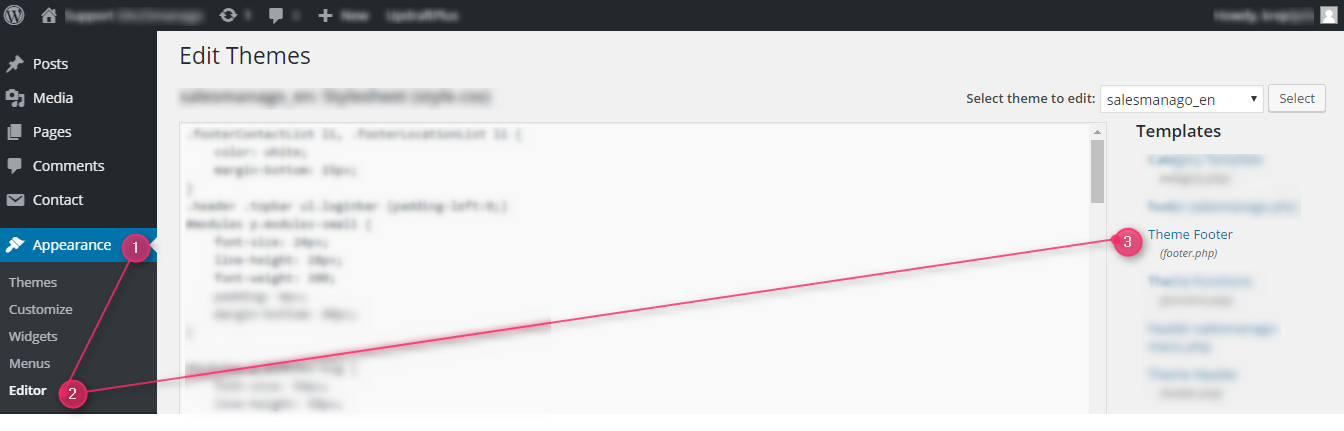
To proceed, log into your WordPress account and choose Appearance [1] > Editor [2].
footer

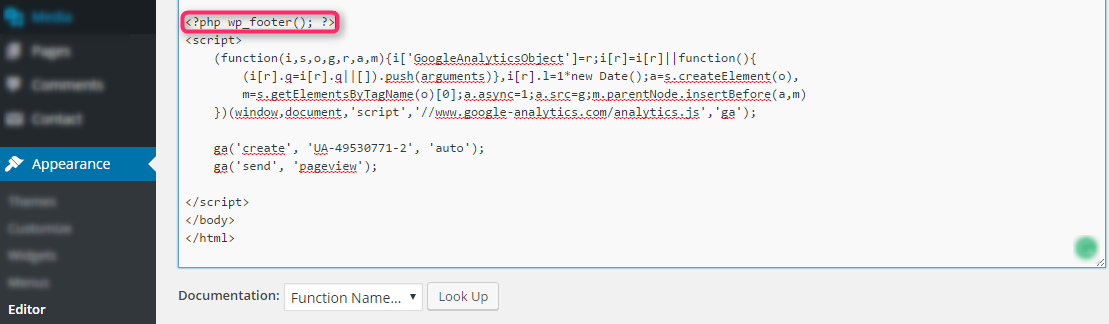
Then, click Theme Footer [3] (footer.php). After that you need to paste the monitoring code from SALESmanago system just the same as shown on a screenshot below.
footer2

In order to save changes click Update File at the bottom of the page.
sa

NOTE: After a WordPress theme update or change, the monitoring code is deleted and it is necessary to copy and paste it again.

If you need more information about the topic mentioned above, please contact us: [email protected] +48 533 600 808

All together. Better.

Leadoo AI, Manago AI and Thulium AI are one seamlessly integrated family.

The #1 conversion platform for turning website visitors into active leads with its conversational marketing tools.

Learn More

Engage, convert and retain your customers with Europe's only AI Customer Data and Engagement Platform built for eCommerce.

Get a demo

Thulium is an omnichannel contact centre system for eCommerce & B2B support that unifies all your customer support.

Learn More

