
Thulium is a contact center and customer support system for eCommerce businesses. It combines tools such as a hotline, helpdesk, and chat in one platform, enabling effective customer relationship management.
Contents
1. Getting started
The Thulium–SALESmanago integration combines customer service and marketing automation into a single ecosystem. It allows information about real customer interactions (such as tickets, phone calls, chats, or satisfaction ratings) to be instantly used for marketing and sales activities. This means that every contact of a customer with your support team can become a trigger for building a better experience—from personalized follow-ups and cross-sell or upsell campaigns to actions that boost customer loyalty and satisfaction.
With this integration, you can:
- respond faster to customer needs,
- strengthen relationships and trust,
- turn customer service into a genuine source of data, sales and growth.
NOTE: A single SALESmanago account can only be integrated with one Thulium account, whereas a single Thulium account can be integrated with multiple SALESmanago accounts.
Scope of the integration
- Displaying Contact details from SALESmanago in Thulium (under the SALESmanago tab in Contact history).
- Transferring Thulium External Events to SALESmanago. Such Events can be used in Workflow processes to automate communication with Contacts and database management.
Thulium External Events are available in the following Workflow elements:
- Event: External Event assigned to Contact
- Condition: Contact has External Event
For a detailed description of data transferred in Thulium External Events, refer to the article in Thulium’s Knowledge Base >>
2. Integration process
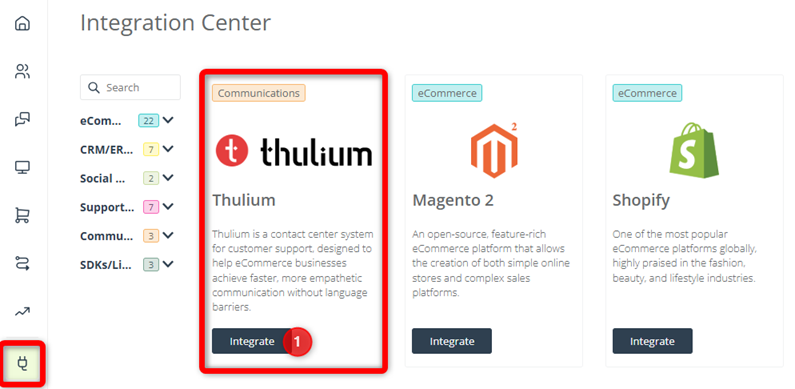
In SALESmanago, go to Menu → Integrations and find Thulium in the list. Click Integrate [1].
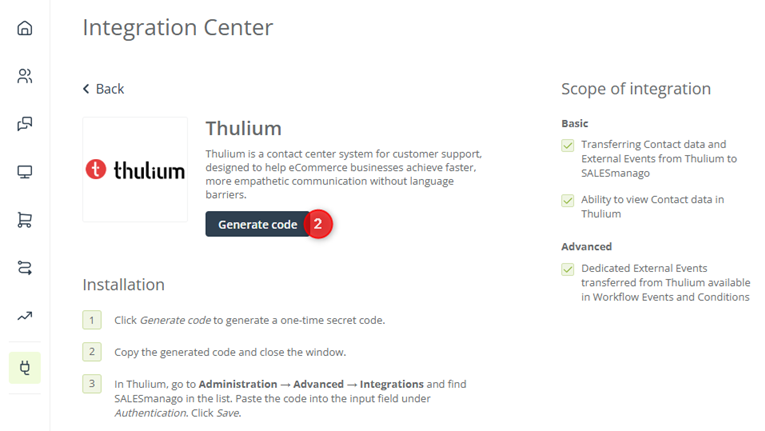
On the next page, click Generate Code [2].
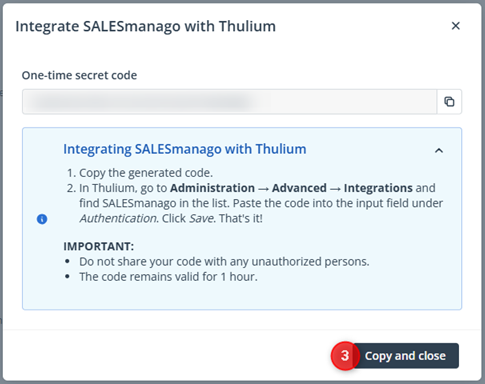
A new window will open, showing your one-time secret code required to authorize the integration.
IMPORTANT:
- Do not share the code with any unauthorized persons.
- The code remains valid for 1 hour.
Copy the code and close the window [3].
At this stage, proceed to the Thulium platform.
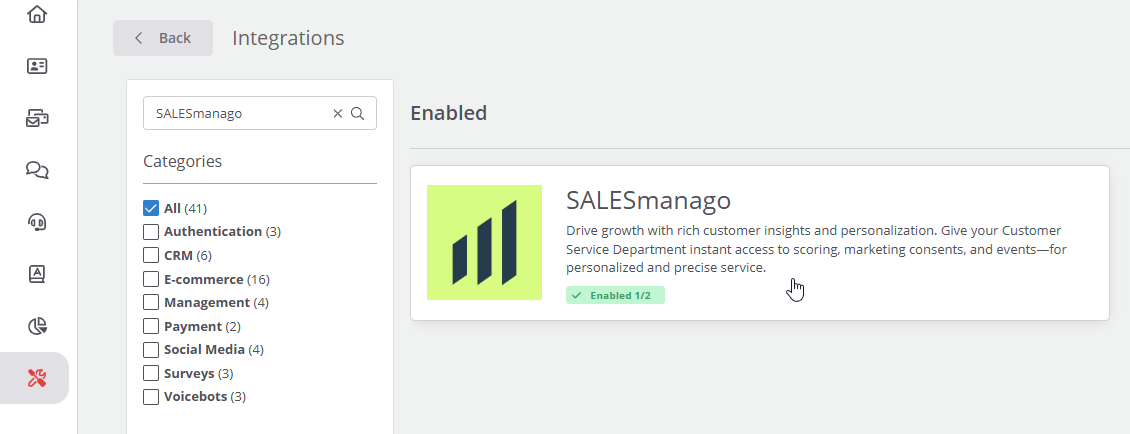
Select Administration [1] from the menu and find the Advanced section. Click Integrations [2].
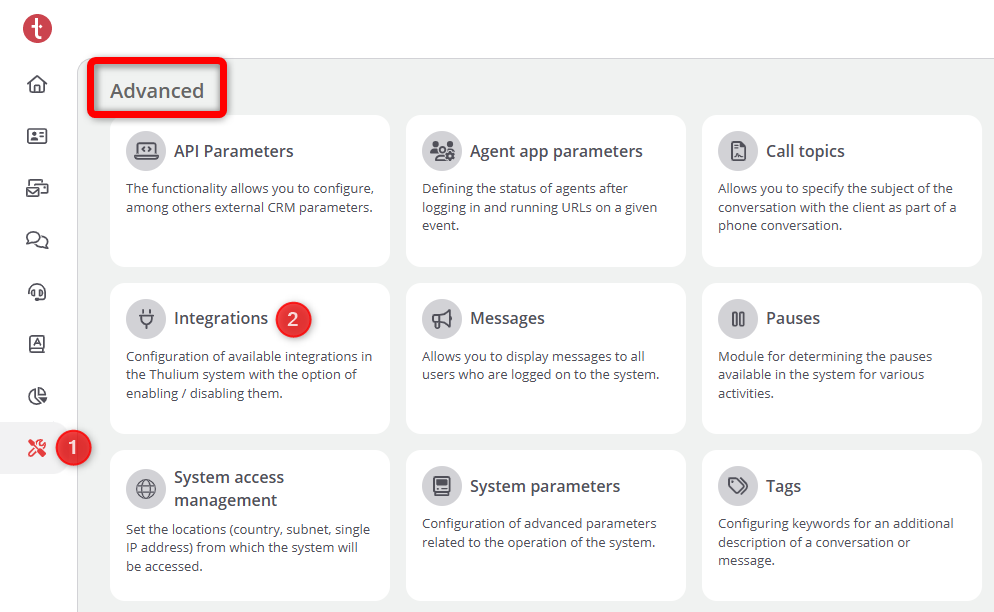
Find SALESmanago in the list and click it.
Paste the secret code copied from SALESmanago into the dedicated input field [3] and click Authenticate Thulium app [4].
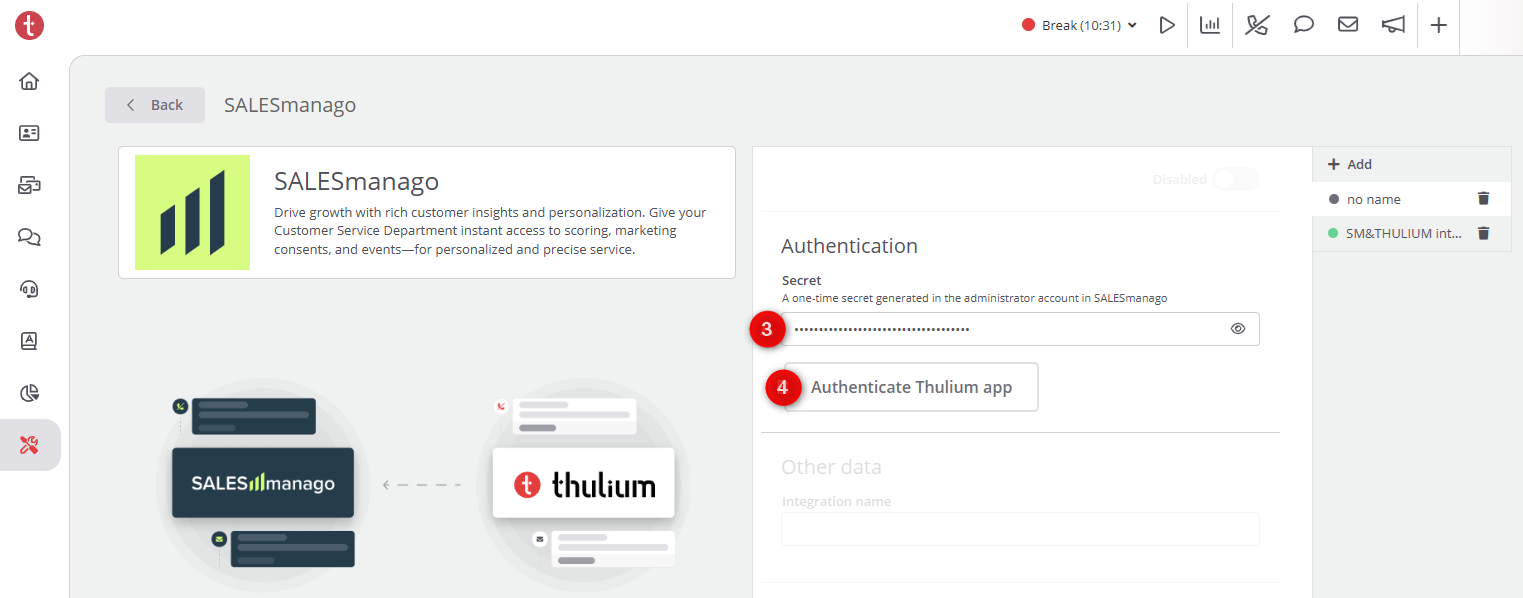
That’s it! The fields below will now become active, allowing you to configure the integration.
3. Configuration
After linking your SALESmanago and Thulium accounts by means of the one-time secret code, configure the integration settings.
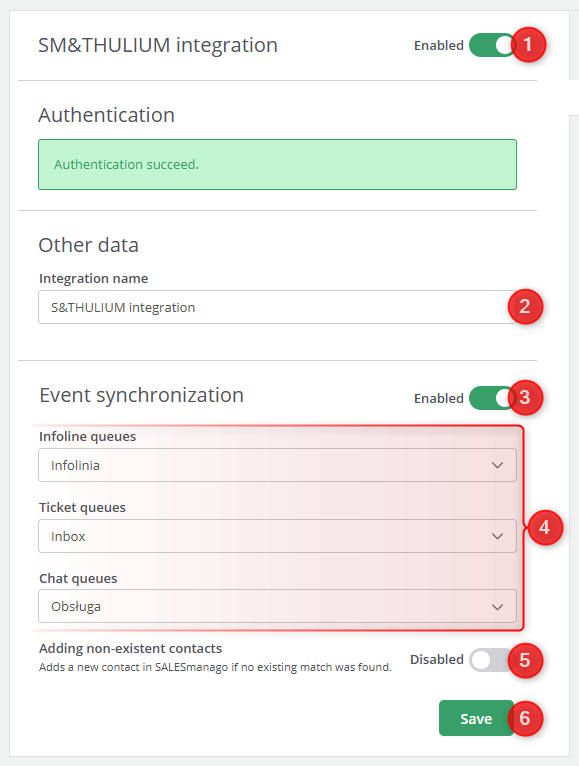
[1] Integration status—Use this switch to activate or deactivate the integration. The integration must be active for data to be transferred between the platforms.
[2] Integration name—Provide a name for your SALESmanago–Thulium integration.
[3] Event synchronization status—Use this switch to activate or deactivate the transfer of Thulium External Events to SALESmanago.
[4] Event sources—Open each of the dropdown menus to select the infolines, ticket queues, and chats from which Events are to be transferred to SALESmanago.
[5] Adding new Contacts—Decide whether you want to create a new Contact in SALESmanago if an External Event transferred from Thulium cannot be matched to an existing Contact.
IMPORTANT:
- If an External Event transferred from Thulium cannot be matched to an existing Contact in SALESmanago, and this switch is disabled (preventing the creation of a new Contact), the External Event will not be transferred to SALESmanago.
- New Contacts will be created with opt-out status for both Email Marketing and Mobile Marketing.
When the configuration is complete, remember to click Save [6].


