
This Action allows you to automatically add a note to a Contact.
Read more about notes on the Contact Card >>
After adding this Action to your Workflow, define the following settings:
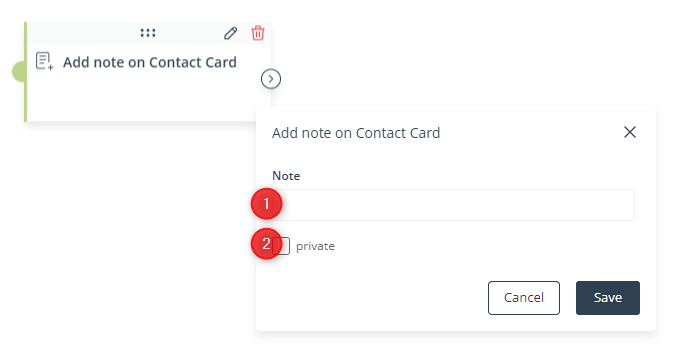
[1] Note—Enter the text of the note that will be assigned to Contacts that have reached this stage of the Workflow.
There is no limit on the number of characters in a note, but it is recommended that notes are no longer than 1024 characters (this is how many note characters can be transferred via API).
[2] Private—Check this box if you want the note to be visible only to the super users of your SALESmanago account and to the SALESmanago user who created the Workflow of which this Action is a part.
Click Save to continue configuring your Workflow.


