
This Action allows you to automatically display or hide a selected Personalized Banner variant for Contacts that have reached this stage of your Workflow.
Read about Personalized Banners >>
After adding this Action to your Workflow, define the following settings:
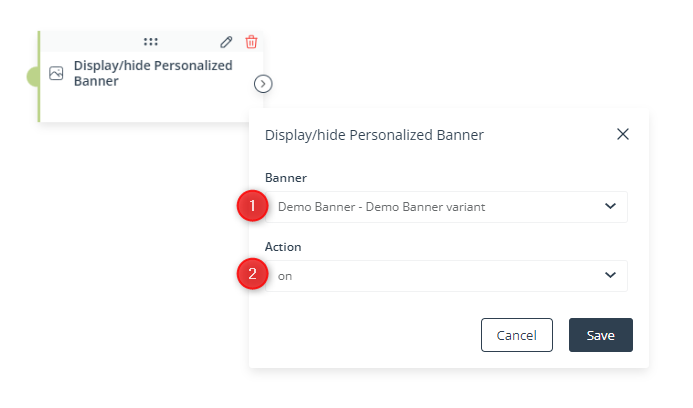
[1] Banner—Select a Personalized Banner variant that will be displayed to or hidden from Contacts that have reached this stage of the Workflow.
The list contains values in the following format: Personalized Banner – Personalized Banner variant.
[2] Action—Select on to start displaying the Personalized Banner variant specified in point [1] to Contacts that reached this stage of the Workflow. Select off to stop displaying it to such Contacts.
NOTE:
- If you hide a Personalized Banner variant, the default variant of this Personalized Banner will be displayed instead.
- You cannot hide the default Personalized Banner variant.
Click Save to continue configuring your Workflow.


