
This Action allows you to send a WhatsApp invitation (in the form of a text message) to Contacts that have reached this stage of your Workflow.
For this Action to work, first you need to integrate your SALESmanago account with WhatsApp.
Read about WhatsApp integration via Bird >>
After adding this Action to your Workflow, define the following settings:
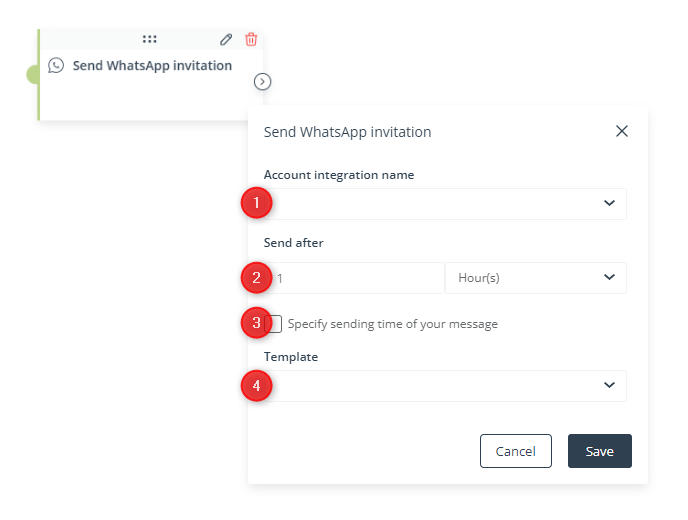
[1] Account integration name—Select a WhatsApp account integrated with SALESmanago from which you want to send invitations to Contacts.
[2] Send after—Specify the time after which your text message will be sent to Contacts that have reached this stage of the Workflow. You can use the following time units: hour, day, week, month, year.
[3] Specify sending time of your message—Specify the time period (times of the day) within which your text message will be sent to Contacts that have reached this stage of the Workflow. For instance, you can decide that your invitations will only be sent between 8 a.m. and 6 p.m.
[4] Template—Select an existing template that you want to use as your invitation.
Click Save to continue configuring your Workflow.


