
Workflow Action: Set Contact scoring

This Action allows you to set the scoring of Contacts that have reached this stage of your Workflow to a specific value (number of points), irrespective of the current scoring.

Read about Contact scoring >>

TIP: If you want to increase or decrease the scoring of Contacts that have reached this stage by a specific number of points, use the Action: Increase/decrease Contact scoring >>.

After adding this Action to your Workflow, define the following settings:
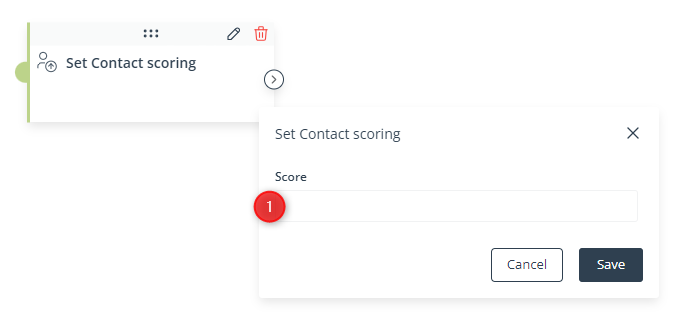
[1] Score—Specify the new scoring value that will be set for Contacts that have reached this stage of the Workflow.

Click Save to continue configuring your Workflow.

If you need more information about the topic mentioned above, please contact us: [email protected] +48 533 600 808

All together. Better.

Leadoo AI, Manago AI and Thulium AI are one seamlessly integrated family.

The #1 conversion platform for turning website visitors into active leads with its conversational marketing tools.

Learn More

Engage, convert and retain your customers with Europe's only AI Customer Data and Engagement Platform built for eCommerce.

Get a demo

Thulium is an omnichannel contact centre system for eCommerce & B2B support that unifies all your customer support.

Learn More

